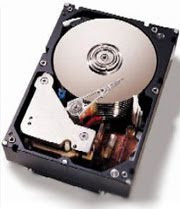
Computer cookies get collected in your computer and occupy your computer’s precious memory, so it is advised to regularly delete cookies from your computer. You can delete cookies from your computer manually or by taking help from any tech support provider.
Let us first emphasize on the benefit of deleting computer cookies. The primary concern is the privacy and security of your computer while using the Internet. The cookies store important information like your password, user ID, surfing habits and other related information, which when exposed to other person might prove to be dangerous. Also, at various times, it is seen that your computer becomes slow in performance and takes a much longer time to respond. It is because, over the time, with the continuous usage of the Internet, the cookies get stored on the computer and eat up a lot of hard disk space. After you close your surfing session, the cookies are of no use to you and your computer; instead, they act as unnecessary memory consumers.
Some advertising companies place their cookies on your computer, with the intent of finding the surfing habits, and patterns, whereas other malicious websites make use of cookies for web profiling. Therefore, the best way to keep your computer unburdened and allow it to show its best performance is to regularly delete cookies from it. There are some websites on the Internet, which automatically destroy their cookies when the browsing session is closed, while some others store the cookies in your PC.
You can delete cookies from your Windows computer by following the procedure: Click on “Start”->”Control Panel”->Find and click on the option of ”Internet Options”, if you are working on Windows XP PC then you can find this option under “Network and Internet Connections”. It will open the window of “Internet Properties”, where you will see the options of “Delete Cookies” and “Delete Temporary Files”, click on these options. By following this procedure, you will be able to delete all the cookies from your PC.
Related post :-
 10:18 PM
 Kushal Khare